Set up in minutes
Create your course with a picture of a scorecard, add players and tee off. AI reads the card and the pin sheet, so nobody types 54 numbers or draws 18 boxes.
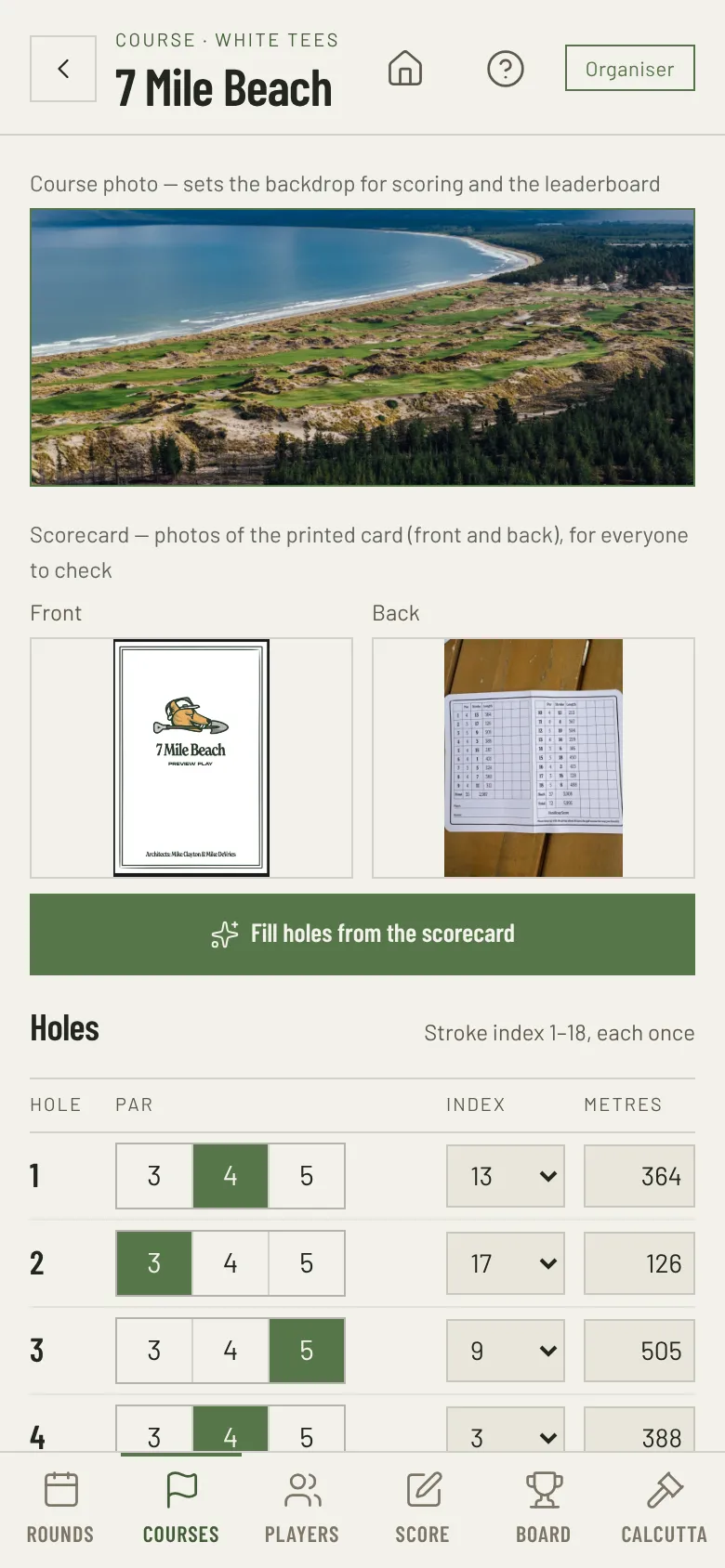
Snap the scorecard, skip the typing
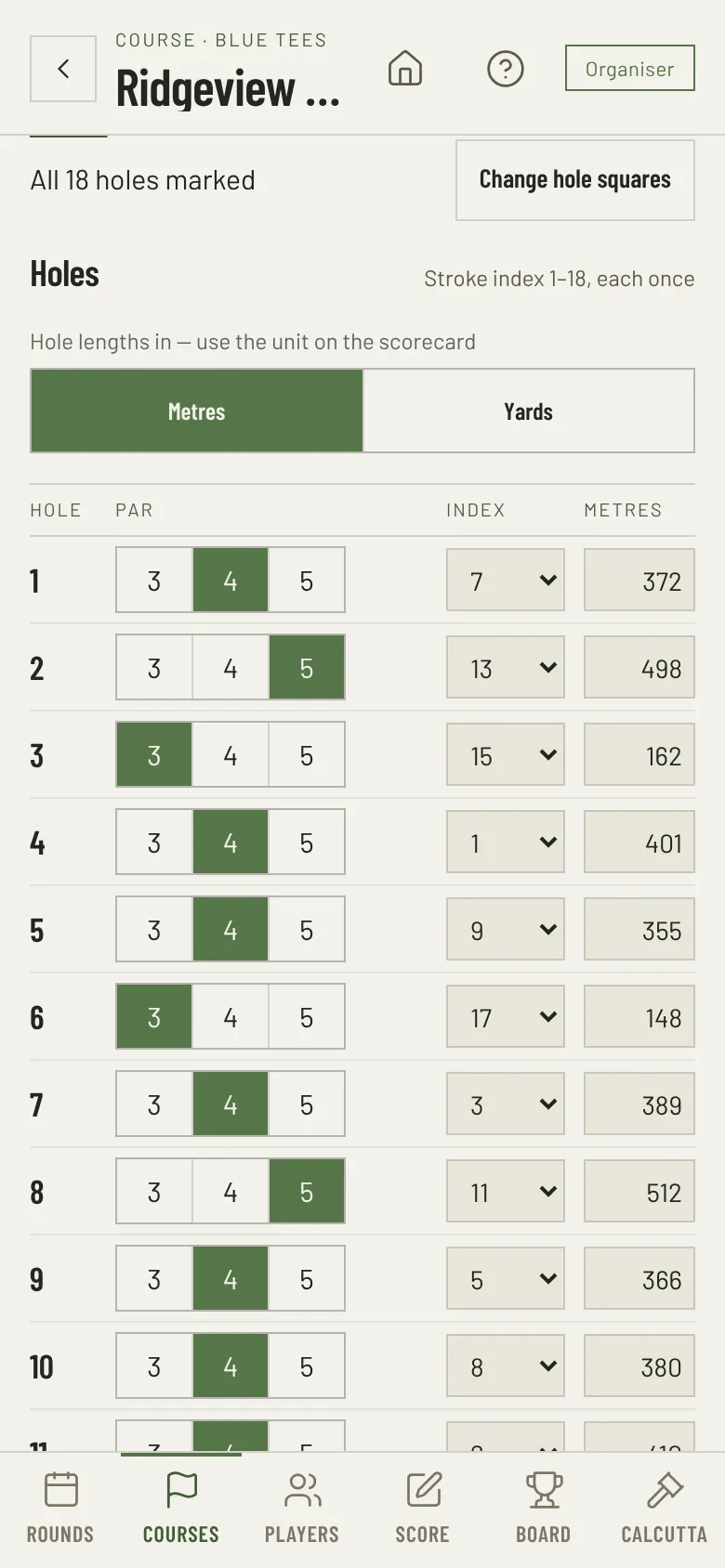
Setting up a course used to mean typing 54 numbers. Now the organiser photographs the printed scorecard, front and back, and taps Fill holes from the scorecard. AI reads the card: the par, stroke index and length of each hole, for the tees you play. Then it fills them in. It also picks up the course rating and slope when the card shows them.
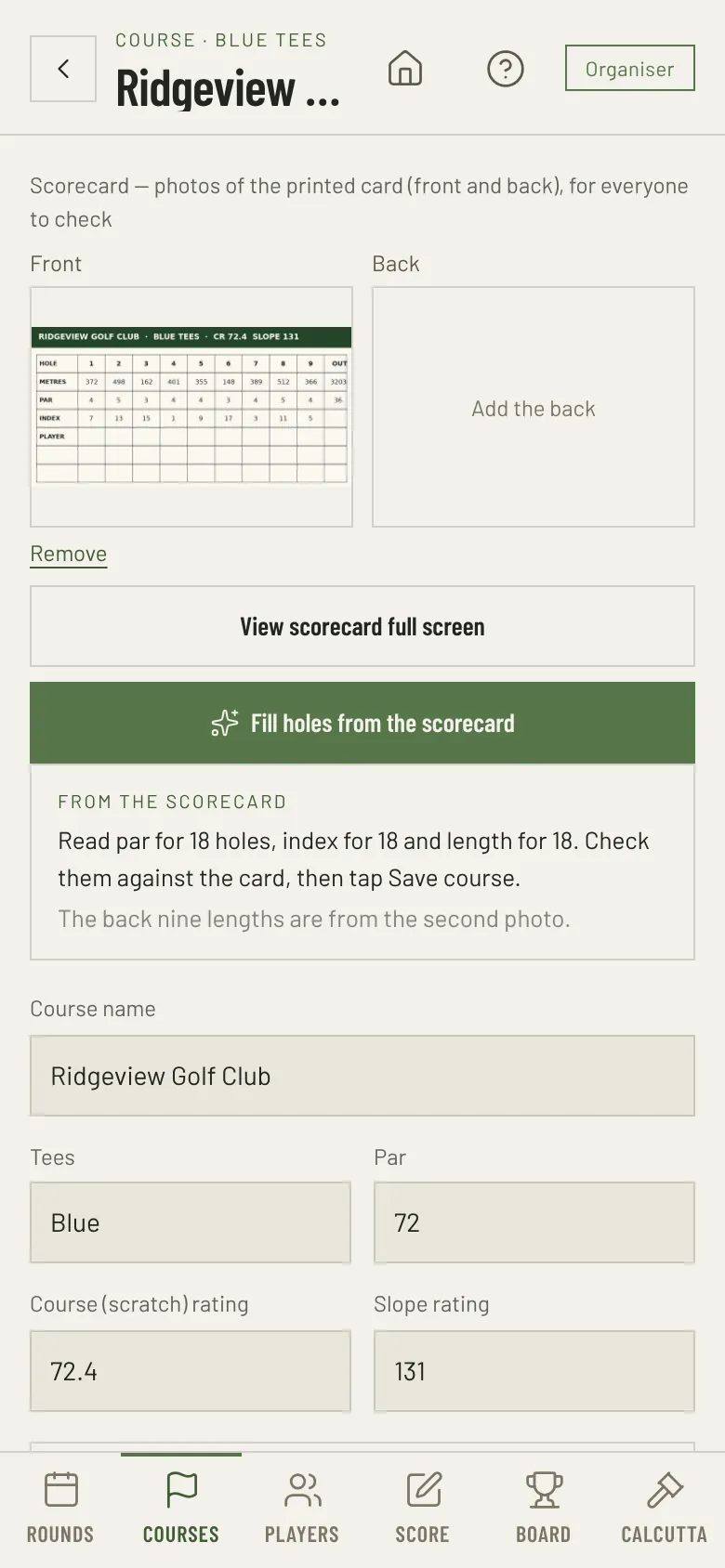
You check, then save
- Nothing saves until you tap Save course. Check the figures against the card first.
- If AI cannot read a number clearly, that box stays as it was, and the app tells you which holes to enter by hand.
- Each stroke index must be used once, so a misread index shows straight away.
The scorecard in every pocket
The card photos stay with the course. Everyone can open them full screen, flip between the sides and zoom in to check a hole length or the local rules.
Courses set up once, for everyone
- Each course holds its country, tees, course rating, slope, and the par, index and length of each hole, in metres or yards. Every course joins the Beads Golf course library.
- “Daily handicap here” shows what a few handicaps play off on this course.
- After a round on the course is final, its par, stroke index, course rating and slope lock, so old results stay as they were. The name, tees, lengths and photos can still change.
- Someone already set it up? Tap Add from course library, choose the country and search by name. The course, its holes and scorecard photos copy into your event.
Add players, then tee off
- Add each player’s name and handicap index. The app works out each daily handicap.
- Add the rounds and put the players in groups.
- Share the invite link with players. Each player opens it and taps their name. Then tee off.
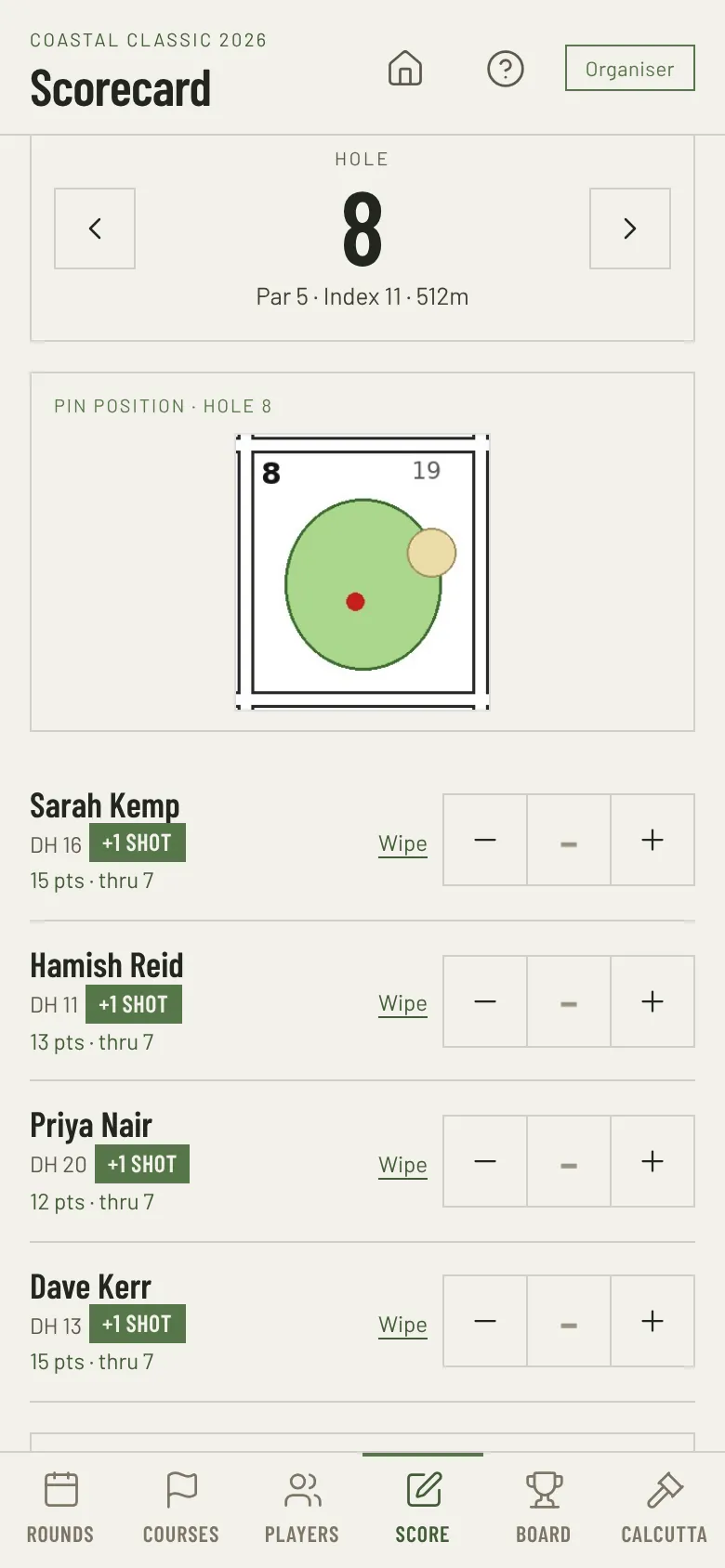
Today’s pin position on every hole
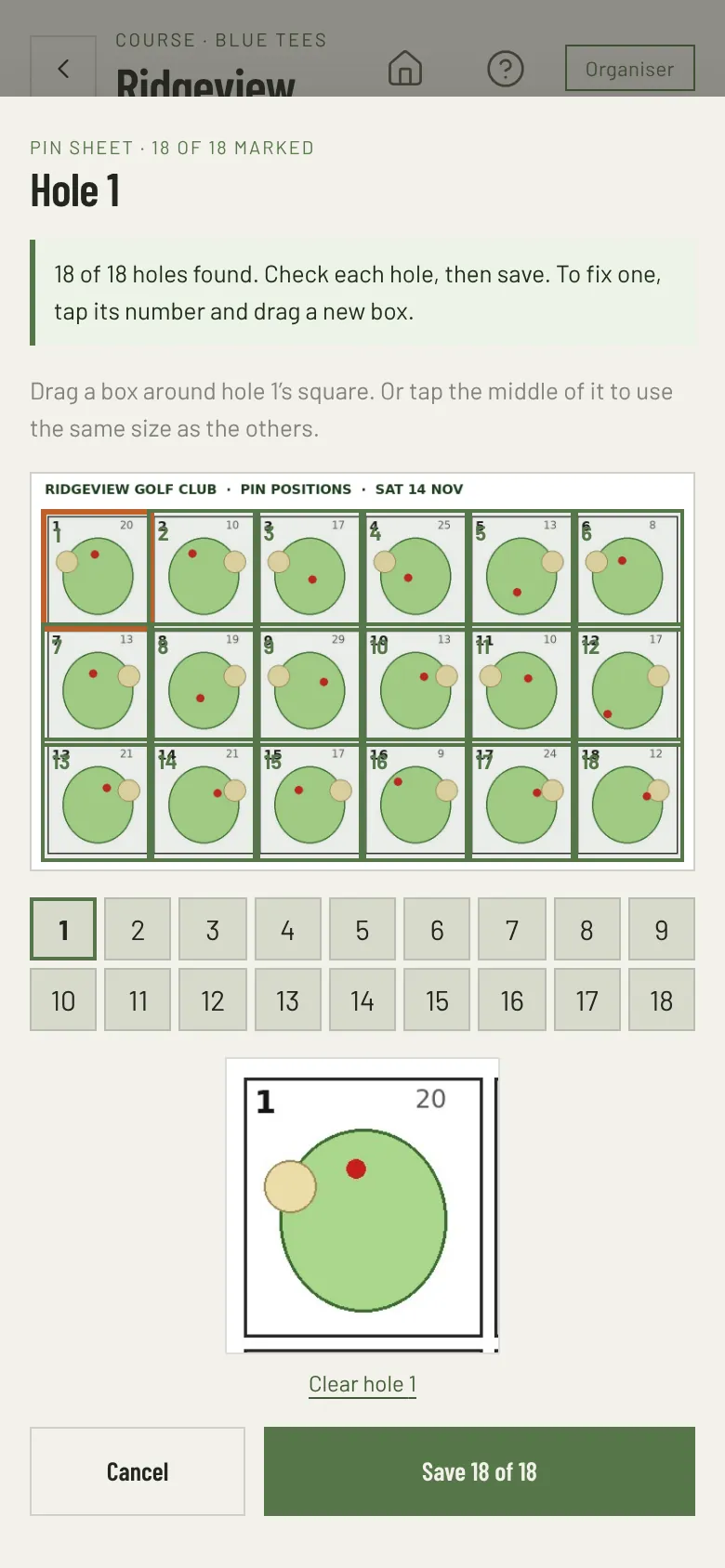
Snap a photo of the pin sheet from the pro shop. On each hole, the Score screen then shows that hole’s pin position above the scores. Nobody has to dig the sheet out of a pocket. Tap the pin position to open the full sheet and zoom in.
Every hole found for you
Snap the pin sheet and tap Find the hole squares. AI reads the hole numbers on the sheet and finds the square for each hole. You never draw 18 boxes by hand.
You check, then save
- The editor opens with every square in place. Tap a hole number to see its square up close.
- To fix one, drag a new box around it. Any hole AI could not find stays empty for you to mark.
- Nothing saves until you tap Save.
- Pins move each day? Add the new sheet. If the layout is the same, the squares stay marked.