Your golf trip, scored live
Live scores, leaderboards, side games and the Calcutta for your group. Everyone scores on their own phone. The board updates as you play.
Free. Works on iPhone and Android. No app store, no passwords.
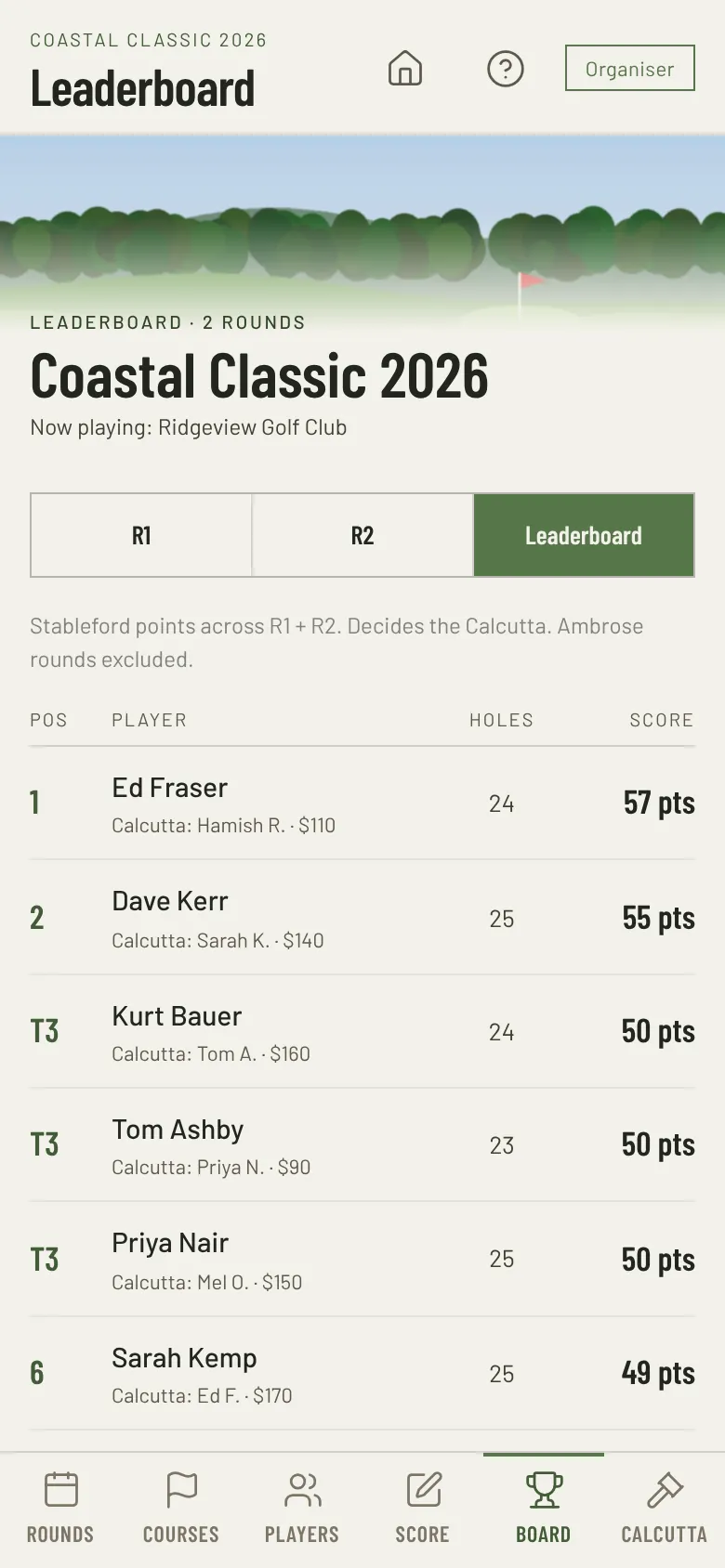
Set up your course with a picture of the scorecard
Take a photo of the scorecard. Beads Golf reads it and fills in the par, stroke index and distance for all 18 holes. You check the figures, then save.
Someone already set up the course? Add it from the course library.
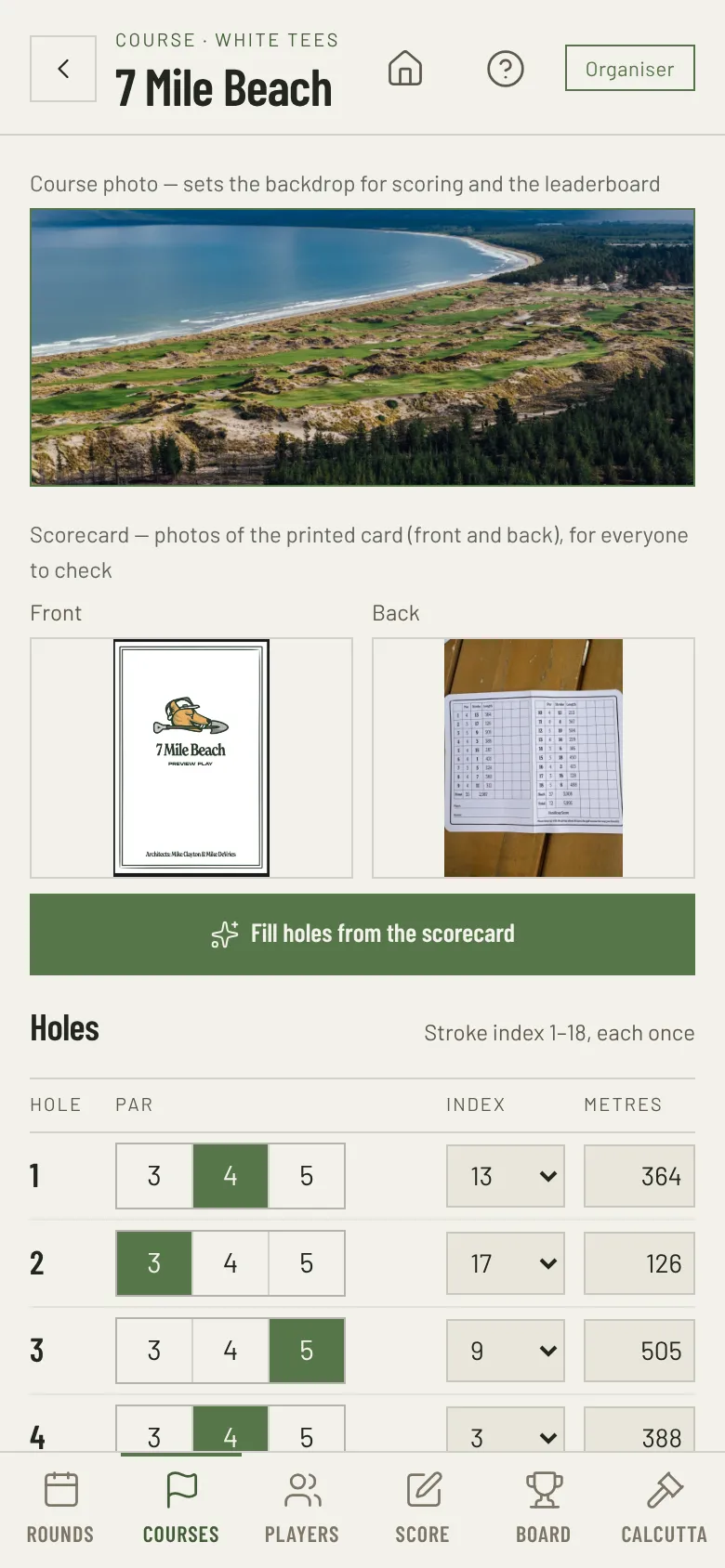
Everything your golf trip needs
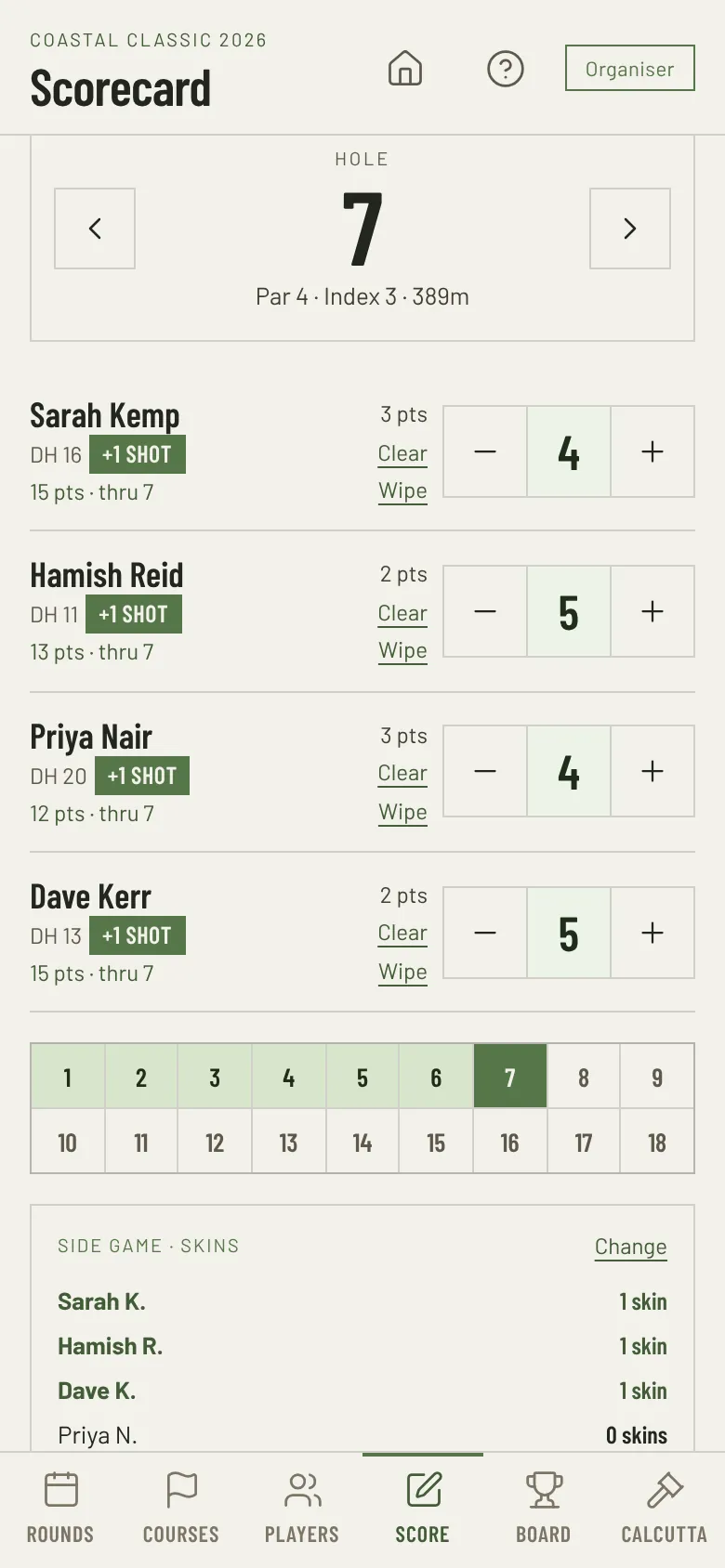
Live scoring
Everyone scores on their own phone as they play. See who gets a shot on each hole and watch the points add up. Wrong score? Fix it in two taps.
Leaderboards
A board for each round and for the whole trip. It updates as each group scores, so everyone sees who is moving.
Handicaps done for you
Enter each player's handicap index. The app works out daily handicaps and shows who gets a shot on each hole. Set your own rules.
Side comps and games
Nearest the pin and longest drive, with photos. Skins, 2BBB, match play and a Ryder Cup, worked out from the normal scores.
Simple set up
Create your course with a picture of a scorecard, add players and tee off.
Mates can follow
Share a link for those who couldn’t make the cut. Why should your group be the only ones who see you wipe the easiest hole on course?
Tap, plus, minus, done
Tap a score box to set par, then adjust. Points add up as you go.
- Clearly see if you have a shot on the next hole.
- Pick up on a hole? Tap Wipe.
- Wrong score? See every change and put an earlier one back.
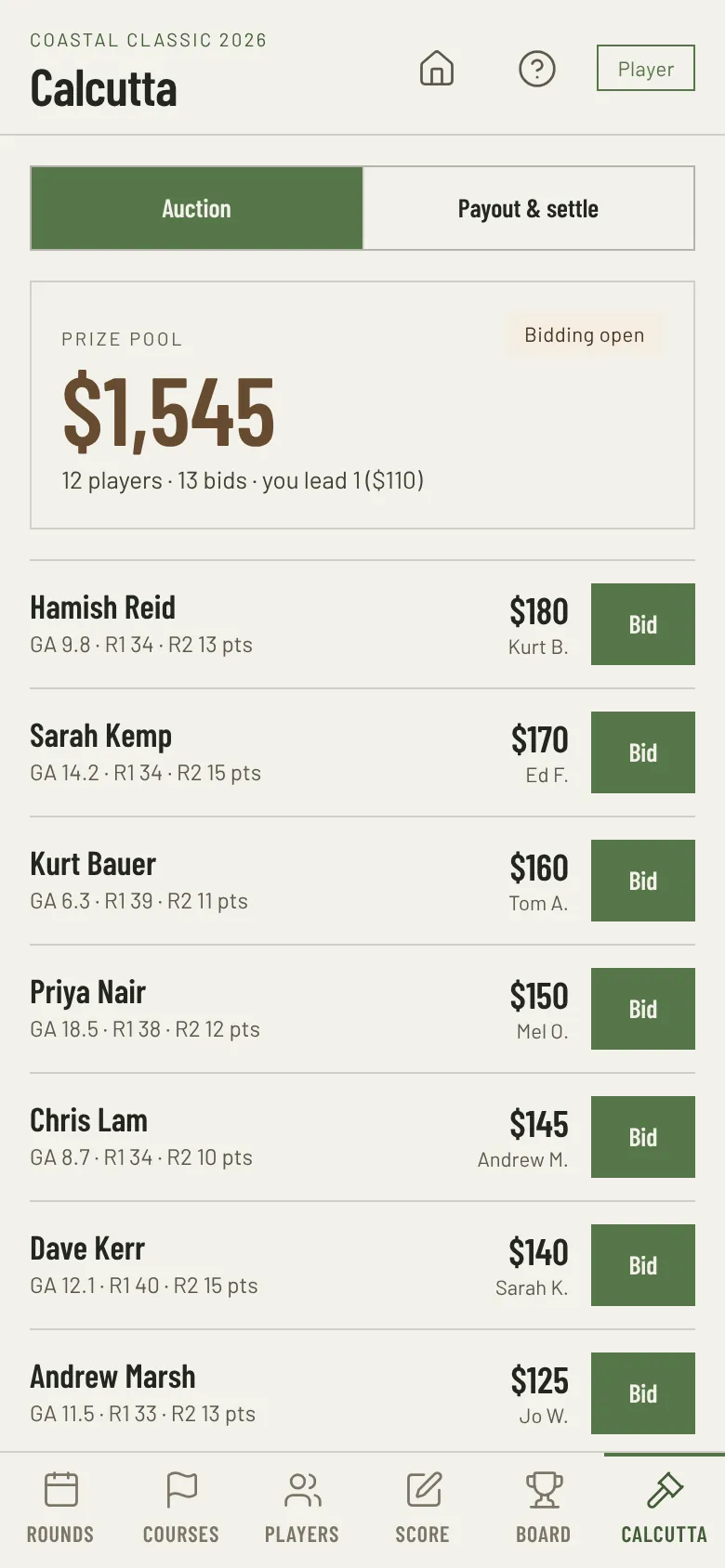
Run the Calcutta
Run your group's Calcutta auction in the app. Everyone bids from their own phone. Beads Golf tracks the bids, the pool and the payout split, and shows who owes who at the end.
One person sets up the event
Create the event
Upload your logo, add the courses, players and their handicaps. Complete on a computer or on your phone.
Share the link with players
Send it to the group chat. Each player opens it, saves the app and taps their name. No accounts and no passwords.
Tee off
Groups score as they go. The board, side comps and Calcutta update live for everyone, including followers at home.
Put it on your Home Screen
Beads Golf is a web app. You add it from the browser, and it then opens full screen like any other app.
iPhone
- Open app.beadsgolf.com in Safari.
- Tap the Share button.
- Tap Add to Home Screen, then Add.
Join your event from the Home Screen icon, not from Safari. They do not share sign-in.
Android
- Open app.beadsgolf.com in Chrome.
- Tap Install when Chrome asks, or open the menu and tap Install app.
- Open Beads Golf from your Home Screen.
Got an invite link? Open it first. It shows the same steps.